What’s on your mind?
MindMeister is a great mind mapping and project management tool that allows its users to create mind maps and charts to organize ideas and thoughts. With its many mapping features available, individuals and large teams can easily brainstorm and construct outlines that can help improve efficiency, productivity, and team performance. MindMeister is one of the best tools to have for big projects and collaborations.
Weave a web of bright ideas
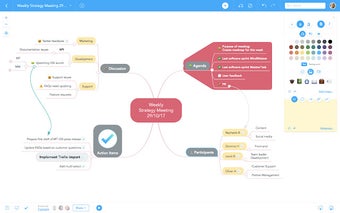
Thoughts and ideas come and go at full speed, especially when several minds are in the game. You will never know which of those ideas and plans hold potential for success. MindMeister works to keep all of those in check. The software allows users to put comments, add notes, and input information on the charts or diagrams in real-time, making it so that the rest of the team can check the additional data ASAP. As the information are all laid out neatly, there is also little to no chance of anyone getting lost and confused for the whole duration of the planning. Missed changes can be checked with MindMeister’s unlimited undo history and replay feature. To seal the deal, any important discussions can be done through the software’s integrated live chat so users can rest assured that no confusions will occur and that everyone is updated with the progress of their projects.
Flexible and accessible for everyone
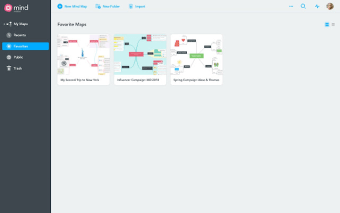
MindMeister is equipped with advanced mapping features that allow users to import texts from other mind maps like MindManager and FreeMind. At the same time, exporting files to other platforms like Word, PowerPoint, PDF, as well as other mind maps, is also possible. This way, users can review their maps in any platform that is currently available to them. With that said, MindMeister maps work closely with Google Drive, meaning that you will be able to synchronize all of your map lists to the drive as well as access them. The maps can also be easily shared to your Google Contacts.
For your every planning need
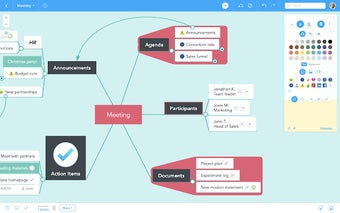
Use Cases is a feature of MindMeister that basically functions as a template or preset. Depending on your agenda for using the software, it has quite a lot of map skeletons for you to use. You can choose which map will best channel and translate your data so that it is easy to understand. There are different categories to choose from, and under each one is a wide selection of mindmaps that are only waiting to be used. MindMeister has got all of your activities covered.
Organized maps for a progressive life
MindMeister is a big help in getting things done quickly. It is able to lay down all of your teams’ ideas, allowing you to see all the possibilities and options so you can decide which course of action is best to take. MindMeister is also not as complicated as it seems to be. Once you get the hang of it, you will find yourself contributing more and more to your mindmaps.